Shape Sim
by Barrel Prototype
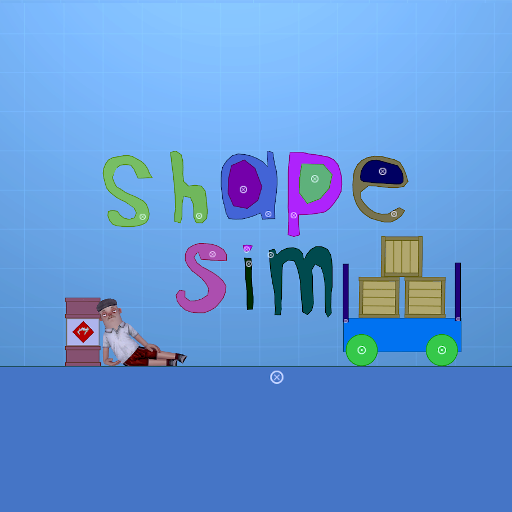
| Summary | A 2d physics sandbox shape game with destruction |
|---|---|
| Description |
A 2d physics sandbox game where the environment is drawn or created with primitive shapes. By using a set of tools you will be able to bring the scene to life by adding engines, thrusters, making your machines behave as you want. Customization With a context menu you will be able to customize the appearance, functionality and other properties. Destructibility Shapes can be customized to be destructible by using properties in the context menu under the Destruction tab. Some shapes can be made explosive, while others can be made breakable. Terry tool (Beta) You can move around as a sausage man, or just use him as a puppet for your machines. Browse The game has a set of demo scenes that show the different possibilities of what can be created. Useful hotkeys: Right mouse click - call the context menu Space - start/pause simulation Shift + Space - stop simulation 1-9 - tools selection ctrl + c - copy elements ctrl + v - paste elements ctrl + z - undo actionA 2d physics sandbox game where the environment is drawn or created with primitive shapes. By using a set of tools you will be able to bring the scene to life by adding engines, thrusters, making your machines behave as you want.
Customization
With a context menu you will be able to customize the appearance, functionality and other properties.
Destructibility
Shapes can be customized to be destructible by using properties in the context menu under the Destruction tab. Some shapes can be made explosive, while others can be made breakable.
Terry tool (Beta)
You can move around as a sausage man, or just use him as a puppet for your machines.
Browse
The game has a set of demo scenes that show the different possibilities of what can be created.
Useful hotkeys:
Right mouse click - call the context menu
Space - start/pause simulation
Shift + Space - stop simulation
1-9 - tools selection
ctrl + c - copy elements
ctrl + v - paste elements
ctrl + z - undo action
|
| Votes | 129 9 130 |
| Error Rate | 0% |
| Reviews |
15 reviews
60% Recommended (9)
40% Promise (6)
0% Needs Work (0)
|
| Usage |
1 active now
766 players
1,076 sessions
117 hours playtime
7 minutes avg session
CCU sampled
Totals captured
|
| Data | {"SinglePlayer": true} |