Claude bridge
by sboxskinsgg
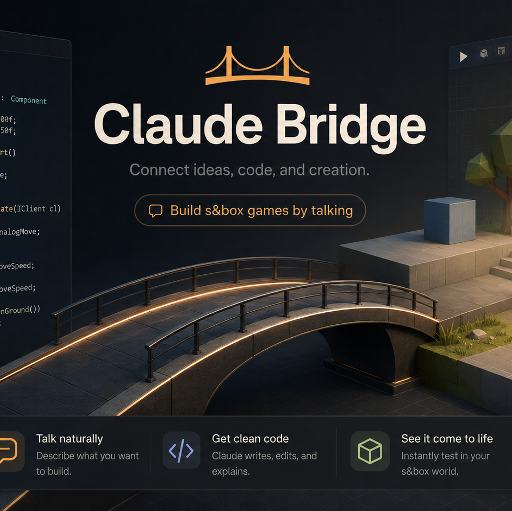
| Summary | Connects Claude AI to your s&box editor in real-time. Describe what you want and it creates. Game Dev is open for all! |
|---|---|
| Description |
Claude Bridge for s&box **MAJOR TOOLSET UPDATE**!(Revamped for NATIVE MCP) Build s&box games by talking to Claude — or any AI. 232 native tools · 28 toolsets, served by s&box's built-in editor MCP server — an AI working inside your s&box editor: writing scripts, creating GameObjects, wiring components, and building whole systems: physics, networking, UI, lighting, characters, terrain, vehicles, and more. You describe what you want; Claude builds it, screenshots it — and sees the image right in the tool result — and fixes it. But the tools aren't the real story. The bridge ships a brain. The companion plugin bundles sbox-cookbook — a deep, code-grounded knowledge base of how to actually build games in s&box, mined from real, shipped, open-source s&box games and the modern engine source. So the AI reaches for proven, shipped patterns — real inventories, economies, save systems, shops, gacha, progression, multiplayer netcode, whole genre playbooks — instead of guessing. 📖 Full docs, guides & changelog: sboxskins.gg/claudebridge — setup · changelog · troubleshooting · FAQ 📬 Feedback & bugs: [email protected] or GitHub Issues ⚡ Start here: the one-command plugin (recommended) If you use Claude Code, install the plugin first. It's the whole experience in one shot: • /plugin marketplace add LouSputthole/Sbox-Claude — registers the repo as a plugin source • /plugin install sbox-claude — installs the plugin • Restart Claude Code (or run /reload-plugins) That single install gives you: • The brain — sbox-cookbook, a code-grounded recipe library of how real s&box games are built (the #1 reason to use this — see below). • A specialist agent tuned to build games with the bridge — it knows the workflow, the gotchas, and when to reach for the cookbook. • The screenshot workflow skill — codifies the build → screenshot → verify → fix loop so Claude isn't building blind. • Both MCP server entries — the editor's native endpoint and the optional lifeline diagnostics server, registered for you with no version drift. • Onboarding — on first connect it checks the bridge, detects your libraries, and suggests a first move. You still install the s&box addon from this page (see Install below). Not on Claude Code? The editor hosts the MCP server itself, so any MCP client connects straight to it over local HTTP — no Node.js required (see Install → Method B). You just wire the brain in yourself. 🧠 The brain: build like a real s&box game, not a guess This is the headline feature, so it gets its own section. The hardest part of building an s&box game with an AI isn't typing C# — it's knowing the right pattern. How do shipped games actually structure an inventory? Where does the money live so a client can't forge it? How do they sign and version a save file? How does a tycoon tick offline earnings? Get those wrong and you get something that compiles but desyncs, dupes currency, or corrupts saves the first time you change a balance number. sbox-cookbook is a massive, code-grounded knowledge base that answers exactly those questions — built by mining 51 real, shipped, open-source s&box games plus the modern engine repos, then distilling them into recipes that cite real source you can open: 11 engine references, 18 system how-tos, and 20 genre playbooks. It's a router: ask "how do I build a tycoon / an inventory / a save system?" and it loads the grounded how-to for that problem. What it knows, with proven patterns from real games: • Genre playbooks — tycoon / idle, shopkeeper / management, deathmatch / arena, platformer / obstacle course, survival / horror, card-battler, gacha / dungeon-crawler, social-hub, document / inspection sim, puzzle, sandbox / voxel, vehicles, roleplay, and more. Each gives you the system stack to compose, a build order, and how real games did it. • Game systems — inventory, economy / currency, shop / vendor / trading, save / persistence, progression / upgrades / prestige, gacha / loot tables, leaderboards, idle / offline earnings, building & placement, crafting, dialogue, round / match flow, spawning & waves, anti-cheat. • Engine fundamentals — networking & authority, architecture, player controller, Razor UI, weapons / combat, input, physics & traces, component lifecycle, world-gen & rendering, performance & threading, data assets. And it carries the cross-cutting laws that bite every system — authority gating (mutating synced state on a proxy silently rolls back), why money/health/score must be host-authoritative, the request → apply → confirm shape for RPCs, save sanitize-and-clamp-on-load, hotload-safe singletons. The kind of thing you only learn by shipping. This is why you use the plugin. The brain turns "the AI writes plausible C#" into "the AI builds it the way a shipped game would." How it works You describe what you want. Claude does the work. You: "Make a player controller with WASD, mouse look, double-jump, and a flashlight." Claude: writes the script, adds the component, wires the input, sets up the spotlight — then aims a camera, screenshots it, sees the PNG right in the tool result, and checks its own work. You: "Build me an inventory system with a hotbar." Claude: opens the cookbook's inventory recipe, builds it the way real games do (host-authoritative items, networked, drag-and-drop UI) — then runs networking_lint and inspect_networked_object to confirm it actually replicates. ✅ Great at — coding game systems through conversation. Player controllers, NPC behavior, networking & multiplayer, UI panels, sound events, prefab wiring, runtime game logic, custom components, drivable vehicles. With the brain in the loop, it builds inventories, economies, save systems, shops, progression, and whole genre loops the way shipped games do — clean, working s&box C#, iterating from your feedback. 🟡 Serviceable at — map building. Terrain sculpting, forest/cave/trail generation, prop scatter. Claude can aim a camera and see its own screenshots inline, so it's no longer building blind — but final visual polish still wants your eyes. (Same honesty applies to vehicle feel: the generated car compiles and drives, but handling taste is a human's call — that's what the tuning presets are for.) What it can do (232 native tools · 28 toolsets) Scene & GameObjects — create, clone, transform, parent, delete; full hierarchy access + editor selection; find objects by name, component, or tag; one-call scene orientation (describe_scene) and project orientation (describe_project). Scene checkpoints — the agent-side undo — checkpoint_scene snapshots every root object before a risky change; restore_checkpoint rolls the whole scene back; list_checkpoints browses them. Checkpoint, batch-edit 40 props, hate it, roll back. Batch operations — batch_set_property / batch_delete / batch_add_component / batch_reparent work across many objects in one call, each with dryRun: true validation that reports what would happen before anything is applied. Scripts & templates — write / edit / hotload C#; one-shot scaffolds for player controllers, NPC AI, game managers, trigger zones, networked players, and lobby managers. Components — add or configure any of s&box's components; read/write typed properties (Model, Material, Color, Vector3, Angles…); assign models, materials, and prefab references; call methods and editor [Button]s. Vehicles — create_vehicle_controller turns any rigidbody prop into a raycast car (4-corner suspension, drift-capable grip, built-in driver seat); tune_vehicle applies arcade / drift / offroad / race presets; plus standalone seats and a physgun-style grab tool. Physics — rigidbodies; box / sphere / capsule / hull colliders; fixed / spring / hinge / slider joints; raycasts; and sphere/box volume overlap queries. Lighting & atmosphere — lights, fog, post-processing, skyboxes, reflection probes (+ bake), and one-call mood presets: Horror Night · Foggy Dawn · Warm Interior · Overcast. Characters — spawn, dress, and pose Citizens; hold types; sit / crouch; equip props to bones; aim gaze; add ragdolls; set facial expressions; drive AnimationGraph params, play named animations, and wire LipSync. Scene layout & environment — snap-to-ground, align, distribute, grid-duplicate, measure; seeded prop scatter, transform randomization, grouping. Terrain & world-gen — heightmap sculpt brushes (raise / lower / flatten / smooth), hills / clearings / trails, cave paths, forest POIs & density painting, path placement. Navigation — bake the scene navmesh and query walkable paths. UI & audio — Razor UI components, screen + world panels; sound events, assignment, and in-editor preview. Networking — network spawn, sync properties, RPCs (broadcast / host / targeted), network helpers, lobby config, host-migration recovery, and validated + rate-limited host actions. Inspection & validation — see exactly what replicates (inspect_networked_object), lint for multiplayer footguns (networking_lint), catch scene-setup mistakes (scene_validate), scan for broken references scene-wide and file-wide (find_broken_references), catch C# whitelist and Razor transpiler footguns before the compiler does (sandbox_lint / razor_lint), read/diff save files (save_inspect), and read services/leaderboards (services_query). The AI verifies multiplayer, saves, and scenes instead of hoping. Prefabs — real ones — create_prefab writes the full engine serialization (every component, every child); instantiate_prefab truly recreates the tree with GUID remap so repeat instantiations never collide; get_prefab_info returns a structured tree summary. Cinematics & game feel — MovieMaker playback (.movie clips), hand-authored cutscene directors, dialogue systems, camera shake, flickering lights, floating combat text, combo meters, nametags. Self-verify & diagnostics — screenshots arrive inline as images (take_screenshot / capture_view / screenshot_from / screenshot_orbit — the orbit returns every angle in one call); detect your installed libraries; run console commands; restart the editor itself (restart_editor). Via the optional lifeline, Claude reads its own logs and compile errors even when the editor has crashed. Debug & playtest — draw debug shapes that render in editor and play; pause / slow-mo / fast-forward the running game; read live performance counters. Verify a playable loop with playtest — a scripted gameplay sequence (move / look / action / jump / set / wait / capture / assert) run in play mode that asserts results in-frame (so a jump's transient airborne frame is catchable), playtest_status for the pass/fail transcript, and playtest_abort to stop a wrong run immediately with input state restored. Docs & live API search — Claude inspects the real loaded SDK by live reflection (describe_type / search_types / get_method_signature — every type, method, and property the editor actually has), and via the lifeline searches the official s&box docs pulled straight from Facepunch's GitHub. So it works from the current API and real docs instead of stale guesses — a big reason the generated C# actually compiles. Publishing — validate the project, configure settings, set thumbnails, fetch package details. Using the plugin Once it's installed and the bridge is connected, you just talk to Claude in your project folder — there are no commands to memorize. A few ways to drive it: 1. Describe what you want. Plain English; Claude writes the C#, wires it up, and checks its own work: "Add a double-jump and a sprint with a stamina bar." "Make the campfire flicker and cast warm light at night." "Spawn 5 patrolling guards that chase the player on sight." 2. Ask for whole systems by name — this is where the cookbook brain kicks in and builds it the way shipped games do: "Build me a host-authoritative shop with a currency wallet." "Give me a save system with autosave and versioned saves." "Add an inventory with a hotbar and drag-and-drop." 3. Let it verify itself. For anything visual, Claude aims a camera, screenshots it — the PNG arrives inline in the tool result — and fixes the angle/lighting before showing you. For multiplayer it runs networking_lint + inspect_networked_object to confirm state actually replicates. You don't have to ask — the sbox-build-feature skill enforces the build → screenshot → verify → fix loop automatically. 4. Hand off big tasks to the specialist agent. For a self-contained feature, point Claude at the bundled agent: "Use the sbox-game-dev agent to build a wave-survival mode with a round timer, escalating spawns, and a HUD." What the plugin bundles: sbox-cookbook | The brain — proven patterns from 51 shipped games: genre playbooks, system how-tos, engine references sbox-api | Correct s&box C# — Unity→s&box translation, the rules; stops Unity-pattern hallucination sbox-build-feature | The screenshot-driven build → verify → fix workflow sbox-scaffold-game | Turns one ask into a playable first-person starter scene sbox-setup | Onboarding — verifies the bridge, detects your libraries, suggests a first move sbox-game-dev agent | A specialist sub-agent for self-contained game-dev tasks MCP config | Registers both servers: the native editor endpoint + the optional lifeline You can also invoke any skill explicitly, e.g. /sbox-claude:sbox-build-feature. What's new v2.0.0 "Native" — the bridge moves into the editor The big one. s&box now ships a native editor MCP server (on by default — Editor → Preferences → MCP Server, local port 7269), and the bridge's full tool surface runs on it: 232 native tools across 28 described toolsets, auto-discovered by the engine as [McpTool] methods. Streamable HTTP replaces file polling. No Node.js on the main path. Tool names are unchanged from v1.x. • Inline screenshots — take_screenshot / capture_view / screenshot_from / screenshot_orbit return the PNG inside the tool result. Claude sees the image directly; no temp-file path to read back. The orbit returns every angle in one response. • Live tool discovery — agents find tools with search_tools, browse the 28 toolsets with list_toolsets / describe_toolset, and run them via call_tool / call_tools (batch several in one round trip). Hotload = live re-registration. • Permission-free reads — read-only tools carry the [McpTool.ReadOnly] hint, so clients can run them without permission prompts (53 of the 232). • Real error semantics — failures are actual thrown tool errors, not { error } payloads buried inside a success. • Scene checkpoints — the agent-side undo — checkpoint_scene / restore_checkpoint / list_checkpoints snapshot and roll back the whole scene (live-verified resurrecting a 317-root scene). The honest note: the engine's public undo/snapshot APIs are inert for addons on current builds, so there's no per-edit auto-undo — checkpoints are the answer, and they work. • Real prefabs — create_prefab writes full engine serialization; instantiate_prefab truly rebuilds the tree with GUID remap; get_prefab_info returns a structured summary. • Dry-run batch ops — batch_set_property / batch_delete / batch_add_component / batch_reparent, all with dryRun: true validate-first. • New orientation & health tools — describe_project and describe_scene (one-call orientation), find_broken_references (scene-wide + file-wide broken-reference scans). • playtest_abort — stop a stuck or wrong playtest immediately, input state restored, partial transcript kept. • NEW bridge_vehicle toolset — create_vehicle_controller (raycast car with built-in driver seat), tune_vehicle (arcade / drift / offroad / race presets), create_seat_system, create_physics_grab_tool. • The lifeline — the old stdio server survives in one slim role: editor-down diagnostics (read_log, get_compile_errors, docs search, self-test) that keep answering when the editor crashes and takes the native server with it. This is the only piece that needs Node.js. • Six names now served by native built-ins — spawn_model, list_scenes, save_scene, undo, redo, remove_component collided with the native server's identical built-ins, so Facepunch's implementations serve them. Your workflows keep the same names. • Legacy fallback — the v1.x file-IPC transport stays compiled-in and functional through v2.0.x for older engine builds; it retires in v2.1.0. Earlier releases (the short version) • v1.20 "Director's Cut" — +19 tools, the biggest single wave: same-week Sandbox.MovieMaker support (wire + play .movie cutscenes), hand-authored cutscene directors and dialogue systems, networking correctness primitives (validated + rate-limited host RPCs, targeted unicast, local-player resolution, host-migration recovery), interaction & carry (Press-E prompts, hold-to-confirm, physics carry), loot & economy (gacha with pity, currency pickups, offline/idle progress), and UI feedback (world-panel UIs, proxy nametags, combo meters). • v1.18 — same-week support for s&box's new LipSync component, plus the four remaining top-demand scaffolds from the corpus mining (full round state machine, interaction stations, event/pacing director, multi-slot saves). • v1.9–1.12 — the era the bridge grew its brain and its conscience: the sbox-cookbook knowledge base (mined from 51 shipped games), the inspection & validation suite (inspect_networked_object, networking_lint, scene_validate, save_inspect), the lint family (sandbox_lint, razor_lint), the most-demanded system scaffolds (saves, inventory, loot tables, interactables, economy, round machines), and CI gates so a bad sync can't ship. Full release-by-release history: sboxskins.gg/claudebridge/changelog. Under the hood • Native editor MCP server — Facepunch's server ships inside the editor: streamable HTTP, loopback-only (127.0.0.1:7269), on by default. Everything stays 100% on your machine — no external network, nothing leaves localhost. • The bridge is a C# editor addon whose 232 tools are [McpTool] static methods the engine's ToolRegistry auto-discovers, grouped into 28 described bridge_* toolsets. Every call dispatches onto the main editor thread (required for scene APIs). • Hotload = live re-registration — a new tool appears in search_tools seconds after a clean compile. • Self-verifying — Claude sees its screenshots inline, reads its own logs/compile errors, and lints networking + inspects what replicates, so it closes the build-and-check loop instead of hoping. • Play-mode-safe & path-safe — scene edits are refused during play mode with a clear error; file ops are confined to your project. • Library-aware — detects the addons already in your project and builds on them. • The lifeline (optional) — a slim Node.js stdio server for editor-down diagnostics; the native server dies with the editor, the lifeline doesn't. • Legacy fallback — the v1.x file-IPC transport and full stdio server remain compiled-in through v2.0.x for engine builds without the native server; they retire in v2.1.0. • Full picture: 245 total tools / 237 handlers — 232 native + 7 lifeline + the 6 names served by native built-ins. Install Two pieces: the addon (runs in s&box, serves the tools through the editor's own MCP server) and a connection from your MCP client. Node.js is not required — except for the optional lifeline. 1. Install the addon — everyone Click Install on this Asset Library page. s&box drops it into your project's Libraries/claudebridge/ automatically. 2. Connect the Claude side — pick one Method A — Claude Code plugin (recommended). Use the one-command plugin at the top of this page (/plugin install sbox-claude, after /plugin marketplace add LouSputthole/Sbox-Claude). It registers both MCP servers for you — the editor's native endpoint and the optional lifeline — and bundles the cookbook brain, the specialist agent, the screenshot workflow skill, and onboarding. This is the path that gives you the full experience. Method B — manual / any MCP client. The editor hosts the server itself (on by default — Editor → Preferences → MCP Server), so this is one command: claude mcp add --transport http sbox http://127.0.0.1:7269/mcp Optional but recommended — add the lifeline, the editor-down diagnostics server (this one needs Node.js 18+): claude mcp add sbox-lifeline -- npx -y sbox-mcp-server@2 --lifeline The native server dies with the editor; the lifeline answers "why did the editor crash" when nothing else can. 3. (Optional) Open the bridge dock In s&box: View → Claude Bridge opens the Status dock, handy for confirming things at a glance. You do not need to keep it open. 4. Verify In Claude Code (in your project folder, with s&box open), ask Claude to run search_tools or "describe the project" (describe_project) — you want the bridge_* toolsets visible and a sensible project summary back. Then try: "Create a cube at 0, 0, 100 with a box model." "Make me a drivable car." (watch it build, seat, and tune one) "Build me a host-authoritative currency system." (watch it reach for the cookbook) Architecture Claude Code ◄──streamable HTTP──► native MCP server ──ToolRegistry──► [McpTool] wrappers 127.0.0.1:7269 (inside the editor) discovery (claudebridge addon) │ ▼ bridge handler dispatch (C#, main editor thread) Loopback-only and entirely local — the server binds 127.0.0.1, so nothing is reachable from outside your machine. The optional lifeline is a separate slim stdio process for editor-down diagnostics. The v1.x file-IPC path remains as a compiled-in fallback through v2.0.x (retires v2.1.0). Full tool list 232 native tools across 28 bridge_* toolsets. Agents browse these live with list_toolsets / describe_toolset and find individual tools with search_tools. bridge_asset (6) — copy_asset_with_dependencies, get_asset_info, install_asset, list_asset_library, recompile_asset, search_assets bridge_audio (4) — assign_sound, create_sound_event, list_sounds, play_sound_preview bridge_batch (4) — batch_add_component, batch_delete, batch_reparent, batch_set_property bridge_character (12) — add_lipsync, add_ragdoll, dress_citizen, equip_model, list_animations, play_animation, pose_citizen, set_animgraph_param, set_bodygroup, set_expression, set_look_at, spawn_citizen bridge_component (10) — add_component_to_new_object, add_component_with_properties, get_all_properties, get_property, invoke_button, invoke_method, list_available_components, list_component_buttons, set_component_reference, set_property bridge_debug (11) — console_run, debug_clear, debug_draw_box, debug_draw_line, debug_draw_ray, debug_draw_sphere, frame_camera, get_bridge_status, get_profiler_stats, restart_editor, set_time_scale bridge_discovery (5) — describe_type, find_in_project, get_method_signature, list_libraries, search_types bridge_gameobject (25) — align_objects, create_gameobject, delete_gameobject, distribute_objects, duplicate_gameobject, find_objects, focus_object, get_bounds, get_scene_hierarchy, get_selected_objects, get_tags, grid_duplicate, group_objects, measure_distance, randomize_transforms, rename_gameobject, replace_model, scatter_props, select_object, set_enabled, set_parent, set_tags, set_tint, set_transform, snap_to_ground bridge_material (4) — assign_material, assign_model, create_material, set_material_property bridge_moviemaker (4) — add_movie_player, list_movies, play_movie, stop_movie bridge_navigation (2) — bake_navmesh, get_navmesh_path bridge_networking (14) — add_host_migration_recovery, add_network_helper, add_rpc_method, add_sync_property, add_targeted_rpc, configure_network, create_host_rpc_action, create_lobby_manager, create_local_player_resolver, create_network_events, create_networked_player, get_network_status, network_spawn, set_ownership bridge_npc (5) — assign_patrol_route, create_npc_brain, create_npc_spawner, place_patrol_route, simulate_npc_perception bridge_physics (5) — add_collider, add_joint, add_physics, physics_overlap, raycast bridge_playmode (5) — get_runtime_property, is_playing, set_runtime_property, start_play, stop_play bridge_playtest (6) — drive_player, drive_player_status, playtest, playtest_abort, playtest_status, simulate_input bridge_prefab (5) — create_prefab, get_prefab_info, instantiate_prefab, list_prefabs, set_prefab_ref bridge_project (14) — create_script, delete_script, describe_project, edit_script, ensure_input_action, get_package_details, get_project_config, get_project_info, list_project_files, read_file, set_project_config, set_project_thumbnail, trigger_hotload, write_file bridge_scaffold_gameplay (29) — add_interaction_prompt, add_interaction_station, create_carry_system, create_currency_pickup, create_day_night_clock, create_economy_wallet, create_event_director, create_gacha_drop_table, create_game_manager, create_health_system, create_hold_to_confirm, create_idle_income, create_interactable, create_inventory, create_leaderboard_panel, create_npc_controller, create_objective_system, create_offline_progress, create_pickup, create_placement_mode, create_player_controller, create_round_phase_machine, create_round_state_machine, create_save_slots, create_save_system, create_stat_modifier_system, create_team_assigner, create_trigger_zone, create_weighted_loot_table bridge_scaffold_polish (8) — add_flicker_light, create_camera_shake, create_combo_meter, create_cutscene_director, create_dialogue_system, create_floating_combat_text, create_proxy_nametag, create_worldpanel_ui bridge_scene (3) — create_scene, describe_scene, load_scene bridge_screenshot (4) — take_screenshot, capture_view, screenshot_from, screenshot_orbit — all returning inline PNG images bridge_ui (3) — add_screen_panel, add_world_panel, create_razor_ui bridge_validation (9) — find_broken_references, inspect_networked_object, networking_lint, razor_lint, sandbox_lint, save_inspect, scene_validate, services_query, validate_project bridge_vehicle (4) — create_physics_grab_tool, create_seat_system, create_vehicle_controller, tune_vehicle bridge_visuals (13) — add_beam, add_envmap_probe, add_light, add_post_process, add_trail, apply_atmosphere, apply_post_fx_look, bake_reflections, create_particle_effect, set_fog, set_skybox, spawn_particle, spawn_vpcf bridge_workflow (3) — checkpoint_scene, list_checkpoints, restore_checkpoint bridge_world (15) — add_cave_waypoint, add_forest_poi, add_forest_trail, add_terrain_clearing, add_terrain_hill, add_terrain_trail, build_terrain_mesh, clear_cave_path, clear_forest_pois, clear_terrain_features, paint_forest_density, place_along_path, raycast_terrain, sculpt_terrain, set_forest_seed The 7 lifeline tools (optional stdio server, editor-down diagnostics — they keep working even when the editor has crashed): read_log, get_compile_errors, search_docs, get_doc_page, list_doc_categories, run_self_test, get_bridge_status Six names served by the native built-ins: spawn_model, list_scenes, save_scene, undo, redo, remove_component — the native server ships built-ins with the same names and semantics, so Facepunch's implementations serve them. The native server also gives you spawn_models (batch), scene_tree, find_game_objects, get_game_object / set_game_object, add_component / set_component, the asset_* family, play_start / play_stop, read_console, and compile_status for free. Troubleshooting Full guide: sboxskins.gg/claudebridge/troubleshooting. The #1 issue is port 7269 not answering — almost always the editor isn't running, or the MCP server is switched off (check Editor → Preferences → MCP Server; it's on by default). The #2 issue is a stale port registration: if the editor log says "[MCP] Couldn't start MCP server on port 7269", a dying previous editor instance is still holding the port — wait for the stale process to exit, then restart the editor once. If the connection works but the bridge_* tools are missing from search_tools, the addon isn't installed in your project's Libraries/ or hasn't compiled cleanly — and for diagnosing a dead editor (the native server dies with it), that's exactly what the lifeline's read_log / get_compile_errors are for. Updating • Addon: reinstall from the Asset Library when a new version drops. • Plugin: keeps both MCP server entries current; the lifeline's npx -y sbox-mcp-server@2 pulls the newest 2.x automatically on the next session. Compatibility s&box current build (the native MCP server ships in the editor since July 2026) · Claude Code or any MCP client that speaks streamable HTTP · Node.js 18+ only for the optional lifeline Tips • Use the plugin. The cookbook brain + specialist agent + screenshot skill is most of the value, and it's one command. • Ask Claude to checkpoint_scene before a big batch — if the result is wrong, restore_checkpoint rolls the whole scene back. The dry-run convention (dryRun: true) previews batch edits before they apply. • Save before a big batch too. Hit Ctrl+S, then turn Claude loose. Keep .scene files in Git for anything non-trivial. • Ask for systems by name. "Build me an inventory / a save system / a host-authoritative economy" lets the brain route you to a proven recipe. • Don't mutate the scene during play mode — the bridge will refuse with a clear message. License Source-available (no redistribution) — the s&box Claude Bridge Source-Available License 1.0 (since July 2026). You can freely use the bridge to build your s&box games — free or commercial — and modify it locally for your own use. You may not redistribute, fork, mirror, repackage, or re-host the bridge or its source, publish a derivative of it, or offer it to others as a service. The code you create with the bridge (your games and their source) is yours and is not restricted. The "s&box Claude Bridge" / "sboxskins.gg" name and branding are trademarks and not licensed for reuse (see NOTICE). Versions published before the relicense remain available under AGPL-3.0-or-later; this and all later versions are governed by the source-available license. Links • Docs: https://sboxskins.gg/claudebridge — overview · plugin · changelog · troubleshooting · FAQ • GitHub: https://github.com/LouSputthole/Sbox-Claude • Issues / bugs: https://github.com/LouSputthole/Sbox-Claude/issues • npm (lifeline): https://www.npmjs.com/package/sbox-mcp-server • Feedback: [email protected] One addon, one command, zero ceremony. 232 native tools · 28 toolsets + a brain trained on real shipped games. Describe your game — Claude builds it. Built by sboxskins.gg, the s&box community marketplace. A note on the (early) reviews I've seen the thumbs-down reviews from early in the Claude Bridge release, and I want to address them directly. I'm quite certain it shipped in a rough, broken state for the first week or two — my apologies for that. Every review since has been positive, so I'm glad it's resolved. Either way, I want the feedback. I built this tool for people who have game ideas but don't necessarily know how to code. The goal isn't to replace creativity. It's to give more people a way to build their dream game by letting Claude act like a coding assistant inside the editor. You describe what you want, and Claude helps write scripts, create objects, wire components, and build systems that would otherwise be out of reach for non-programmers. That said — if the tool didn't work for you, that matters. A bad install, a broken tool call, a timeout, a confusing setup step, or missing docs is on me to fix. The bridge has matured a lot since those early days — and v2.0.0 is the biggest step yet: it now runs on s&box's own built-in MCP server, so the fragile parts of the old setup (Node processes, file polling, temp-dir mismatches) are simply gone from the main path. Install paths, tool stability, play-mode safety, and reliability have matured release over release; Claude reads its own errors, sees its own screenshots, and — thanks to the cookbook brain — builds systems the way real shipped games do instead of guessing. A lot of those fixes came straight from user reports, and the reception since has been genuinely positive. Thank you to everyone who took the time to tell me what broke instead of silently launching the tomato cannon. 🍅 If you had a bad experience, please reach out: [email protected]. Tell me what happened, what broke, what confused you, or what the bridge should do better. I'll move quickly on real issues and keep improving it. Thanks to everyone giving it a shot, testing it, breaking it, and helping make it better. [Link preview] Built by sboxskins.gg, the s&box community marketplace.Claude Bridge for s&box **MAJOR TOOLSET UPDATE**!(Revamped for NATIVE MCP)
Build s&box games by talking to Claude — or any AI.
232 native tools · 28 toolsets, served by s&box's built-in editor MCP server — an AI working inside your s&box editor: writing scripts, creating GameObjects, wiring components, and building whole systems: physics, networking, UI, lighting, characters, terrain, vehicles, and more. You describe what you want; Claude builds it, screenshots it — and sees the image right in the tool result — and fixes it.
But the tools aren't the real story. The bridge ships a brain. The companion plugin bundles sbox-cookbook — a deep, code-grounded knowledge base of how to actually build games in s&box, mined from real, shipped, open-source s&box games and the modern engine source. So the AI reaches for proven, shipped patterns — real inventories, economies, save systems, shops, gacha, progression, multiplayer netcode, whole genre playbooks — instead of guessing.
📖 Full docs, guides & changelog: sboxskins.gg/claudebridge — setup · changelog · troubleshooting · FAQ
📬 Feedback & bugs: [email protected] or GitHub Issues
⚡ Start here: the one-command plugin (recommended)
If you use Claude Code, install the plugin first. It's the whole experience in one shot:
• /plugin marketplace add LouSputthole/Sbox-Claude — registers the repo as a plugin source
• /plugin install sbox-claude — installs the plugin
• Restart Claude Code (or run /reload-plugins)
That single install gives you:
• The brain — sbox-cookbook, a code-grounded recipe library of how real s&box games are built (the #1 reason to use this — see below).
• A specialist agent tuned to build games with the bridge — it knows the workflow, the gotchas, and when to reach for the cookbook.
• The screenshot workflow skill — codifies the build → screenshot → verify → fix loop so Claude isn't building blind.
• Both MCP server entries — the editor's native endpoint and the optional lifeline diagnostics server, registered for you with no version drift.
• Onboarding — on first connect it checks the bridge, detects your libraries, and suggests a first move.
You still install the s&box addon from this page (see Install below).
Not on Claude Code? The editor hosts the MCP server itself, so any MCP client connects straight to it over local HTTP — no Node.js required (see Install → Method B). You just wire the brain in yourself.
🧠 The brain: build like a real s&box game, not a guess
This is the headline feature, so it gets its own section.
The hardest part of building an s&box game with an AI isn't typing C# — it's knowing the right pattern. How do shipped games actually structure an inventory? Where does the money live so a client can't forge it? How do they sign and version a save file? How does a tycoon tick offline earnings? Get those wrong and you get something that compiles but desyncs, dupes currency, or corrupts saves the first time you change a balance number.
sbox-cookbook is a massive, code-grounded knowledge base that answers exactly those questions — built by mining 51 real, shipped, open-source s&box games plus the modern engine repos, then distilling them into recipes that cite real source you can open: 11 engine references, 18 system how-tos, and 20 genre playbooks. It's a router: ask "how do I build a tycoon / an inventory / a save system?" and it loads the grounded how-to for that problem.
What it knows, with proven patterns from real games:
• Genre playbooks — tycoon / idle, shopkeeper / management, deathmatch / arena, platformer / obstacle course, survival / horror, card-battler, gacha / dungeon-crawler, social-hub, document / inspection sim, puzzle, sandbox / voxel, vehicles, roleplay, and more. Each gives you the system stack to compose, a build order, and how real games did it.
• Game systems — inventory, economy / currency, shop / vendor / trading, save / persistence, progression / upgrades / prestige, gacha / loot tables, leaderboards, idle / offline earnings, building & placement, crafting, dialogue, round / match flow, spawning & waves, anti-cheat.
• Engine fundamentals — networking & authority, architecture, player controller, Razor UI, weapons / combat, input, physics & traces, component lifecycle, world-gen & rendering, performance & threading, data assets.
And it carries the cross-cutting laws that bite every system — authority gating (mutating synced state on a proxy silently rolls back), why money/health/score must be host-authoritative, the request → apply → confirm shape for RPCs, save sanitize-and-clamp-on-load, hotload-safe singletons. The kind of thing you only learn by shipping.
This is why you use the plugin. The brain turns "the AI writes plausible C#" into "the AI builds it the way a shipped game would."
How it works
You describe what you want. Claude does the work.
You: "Make a player controller with WASD, mouse look, double-jump, and a flashlight." Claude: writes the script, adds the component, wires the input, sets up the spotlight — then aims a camera, screenshots it, sees the PNG right in the tool result, and checks its own work.
You: "Build me an inventory system with a hotbar." Claude: opens the cookbook's inventory recipe, builds it the way real games do (host-authoritative items, networked, drag-and-drop UI) — then runs networking_lint and inspect_networked_object to confirm it actually replicates.
✅ Great at — coding game systems through conversation. Player controllers, NPC behavior, networking & multiplayer, UI panels, sound events, prefab wiring, runtime game logic, custom components, drivable vehicles. With the brain in the loop, it builds inventories, economies, save systems, shops, progression, and whole genre loops the way shipped games do — clean, working s&box C#, iterating from your feedback.
🟡 Serviceable at — map building. Terrain sculpting, forest/cave/trail generation, prop scatter. Claude can aim a camera and see its own screenshots inline, so it's no longer building blind — but final visual polish still wants your eyes. (Same honesty applies to vehicle feel: the generated car compiles and drives, but handling taste is a human's call — that's what the tuning presets are for.)
What it can do (232 native tools · 28 toolsets)
Scene & GameObjects — create, clone, transform, parent, delete; full hierarchy access + editor selection; find objects by name, component, or tag; one-call scene orientation (describe_scene) and project orientation (describe_project).
Scene checkpoints — the agent-side undo — checkpoint_scene snapshots every root object before a risky change; restore_checkpoint rolls the whole scene back; list_checkpoints browses them. Checkpoint, batch-edit 40 props, hate it, roll back.
Batch operations — batch_set_property / batch_delete / batch_add_component / batch_reparent work across many objects in one call, each with dryRun: true validation that reports what would happen before anything is applied.
Scripts & templates — write / edit / hotload C#; one-shot scaffolds for player controllers, NPC AI, game managers, trigger zones, networked players, and lobby managers.
Components — add or configure any of s&box's components; read/write typed properties (Model, Material, Color, Vector3, Angles…); assign models, materials, and prefab references; call methods and editor [Button]s.
Vehicles — create_vehicle_controller turns any rigidbody prop into a raycast car (4-corner suspension, drift-capable grip, built-in driver seat); tune_vehicle applies arcade / drift / offroad / race presets; plus standalone seats and a physgun-style grab tool.
Physics — rigidbodies; box / sphere / capsule / hull colliders; fixed / spring / hinge / slider joints; raycasts; and sphere/box volume overlap queries.
Lighting & atmosphere — lights, fog, post-processing, skyboxes, reflection probes (+ bake), and one-call mood presets: Horror Night · Foggy Dawn · Warm Interior · Overcast.
Characters — spawn, dress, and pose Citizens; hold types; sit / crouch; equip props to bones; aim gaze; add ragdolls; set facial expressions; drive AnimationGraph params, play named animations, and wire LipSync.
Scene layout & environment — snap-to-ground, align, distribute, grid-duplicate, measure; seeded prop scatter, transform randomization, grouping.
Terrain & world-gen — heightmap sculpt brushes (raise / lower / flatten / smooth), hills / clearings / trails, cave paths, forest POIs & density painting, path placement.
Navigation — bake the scene navmesh and query walkable paths.
UI & audio — Razor UI components, screen + world panels; sound events, assignment, and in-editor preview.
Networking — network spawn, sync properties, RPCs (broadcast / host / targeted), network helpers, lobby config, host-migration recovery, and validated + rate-limited host actions.
Inspection & validation — see exactly what replicates (inspect_networked_object), lint for multiplayer footguns (networking_lint), catch scene-setup mistakes (scene_validate), scan for broken references scene-wide and file-wide (find_broken_references), catch C# whitelist and Razor transpiler footguns before the compiler does (sandbox_lint / razor_lint), read/diff save files (save_inspect), and read services/leaderboards (services_query). The AI verifies multiplayer, saves, and scenes instead of hoping.
Prefabs — real ones — create_prefab writes the full engine serialization (every component, every child); instantiate_prefab truly recreates the tree with GUID remap so repeat instantiations never collide; get_prefab_info returns a structured tree summary.
Cinematics & game feel — MovieMaker playback (.movie clips), hand-authored cutscene directors, dialogue systems, camera shake, flickering lights, floating combat text, combo meters, nametags.
Self-verify & diagnostics — screenshots arrive inline as images (take_screenshot / capture_view / screenshot_from / screenshot_orbit — the orbit returns every angle in one call); detect your installed libraries; run console commands; restart the editor itself (restart_editor). Via the optional lifeline, Claude reads its own logs and compile errors even when the editor has crashed.
Debug & playtest — draw debug shapes that render in editor and play; pause / slow-mo / fast-forward the running game; read live performance counters. Verify a playable loop with playtest — a scripted gameplay sequence (move / look / action / jump / set / wait / capture / assert) run in play mode that asserts results in-frame (so a jump's transient airborne frame is catchable), playtest_status for the pass/fail transcript, and playtest_abort to stop a wrong run immediately with input state restored.
Docs & live API search — Claude inspects the real loaded SDK by live reflection (describe_type / search_types / get_method_signature — every type, method, and property the editor actually has), and via the lifeline searches the official s&box docs pulled straight from Facepunch's GitHub. So it works from the current API and real docs instead of stale guesses — a big reason the generated C# actually compiles.
Publishing — validate the project, configure settings, set thumbnails, fetch package details.
Using the plugin
Once it's installed and the bridge is connected, you just talk to Claude in your project folder — there are no commands to memorize. A few ways to drive it:
1. Describe what you want. Plain English; Claude writes the C#, wires it up, and checks its own work:
"Add a double-jump and a sprint with a stamina bar." "Make the campfire flicker and cast warm light at night." "Spawn 5 patrolling guards that chase the player on sight."
2. Ask for whole systems by name — this is where the cookbook brain kicks in and builds it the way shipped games do:
"Build me a host-authoritative shop with a currency wallet." "Give me a save system with autosave and versioned saves." "Add an inventory with a hotbar and drag-and-drop."
3. Let it verify itself. For anything visual, Claude aims a camera, screenshots it — the PNG arrives inline in the tool result — and fixes the angle/lighting before showing you. For multiplayer it runs networking_lint + inspect_networked_object to confirm state actually replicates. You don't have to ask — the sbox-build-feature skill enforces the build → screenshot → verify → fix loop automatically.
4. Hand off big tasks to the specialist agent. For a self-contained feature, point Claude at the bundled agent:
"Use the sbox-game-dev agent to build a wave-survival mode with a round timer, escalating spawns, and a HUD."
What the plugin bundles:
sbox-cookbook | The brain — proven patterns from 51 shipped games: genre playbooks, system how-tos, engine references
sbox-api | Correct s&box C# — Unity→s&box translation, the rules; stops Unity-pattern hallucination
sbox-build-feature | The screenshot-driven build → verify → fix workflow
sbox-scaffold-game | Turns one ask into a playable first-person starter scene
sbox-setup | Onboarding — verifies the bridge, detects your libraries, suggests a first move
sbox-game-dev agent | A specialist sub-agent for self-contained game-dev tasks
MCP config | Registers both servers: the native editor endpoint + the optional lifeline
You can also invoke any skill explicitly, e.g. /sbox-claude:sbox-build-feature.
What's new
v2.0.0 "Native" — the bridge moves into the editor
The big one. s&box now ships a native editor MCP server (on by default — Editor → Preferences → MCP Server, local port 7269), and the bridge's full tool surface runs on it: 232 native tools across 28 described toolsets, auto-discovered by the engine as [McpTool] methods. Streamable HTTP replaces file polling. No Node.js on the main path. Tool names are unchanged from v1.x.
• Inline screenshots — take_screenshot / capture_view / screenshot_from / screenshot_orbit return the PNG inside the tool result. Claude sees the image directly; no temp-file path to read back. The orbit returns every angle in one response.
• Live tool discovery — agents find tools with search_tools, browse the 28 toolsets with list_toolsets / describe_toolset, and run them via call_tool / call_tools (batch several in one round trip). Hotload = live re-registration.
• Permission-free reads — read-only tools carry the [McpTool.ReadOnly] hint, so clients can run them without permission prompts (53 of the 232).
• Real error semantics — failures are actual thrown tool errors, not { error } payloads buried inside a success.
• Scene checkpoints — the agent-side undo — checkpoint_scene / restore_checkpoint / list_checkpoints snapshot and roll back the whole scene (live-verified resurrecting a 317-root scene). The honest note: the engine's public undo/snapshot APIs are inert for addons on current builds, so there's no per-edit auto-undo — checkpoints are the answer, and they work.
• Real prefabs — create_prefab writes full engine serialization; instantiate_prefab truly rebuilds the tree with GUID remap; get_prefab_info returns a structured summary.
• Dry-run batch ops — batch_set_property / batch_delete / batch_add_component / batch_reparent, all with dryRun: true validate-first.
• New orientation & health tools — describe_project and describe_scene (one-call orientation), find_broken_references (scene-wide + file-wide broken-reference scans).
• playtest_abort — stop a stuck or wrong playtest immediately, input state restored, partial transcript kept.
• NEW bridge_vehicle toolset — create_vehicle_controller (raycast car with built-in driver seat), tune_vehicle (arcade / drift / offroad / race presets), create_seat_system, create_physics_grab_tool.
• The lifeline — the old stdio server survives in one slim role: editor-down diagnostics (read_log, get_compile_errors, docs search, self-test) that keep answering when the editor crashes and takes the native server with it. This is the only piece that needs Node.js.
• Six names now served by native built-ins — spawn_model, list_scenes, save_scene, undo, redo, remove_component collided with the native server's identical built-ins, so Facepunch's implementations serve them. Your workflows keep the same names.
• Legacy fallback — the v1.x file-IPC transport stays compiled-in and functional through v2.0.x for older engine builds; it retires in v2.1.0.
Earlier releases (the short version)
• v1.20 "Director's Cut" — +19 tools, the biggest single wave: same-week Sandbox.MovieMaker support (wire + play .movie cutscenes), hand-authored cutscene directors and dialogue systems, networking correctness primitives (validated + rate-limited host RPCs, targeted unicast, local-player resolution, host-migration recovery), interaction & carry (Press-E prompts, hold-to-confirm, physics carry), loot & economy (gacha with pity, currency pickups, offline/idle progress), and UI feedback (world-panel UIs, proxy nametags, combo meters).
• v1.18 — same-week support for s&box's new LipSync component, plus the four remaining top-demand scaffolds from the corpus mining (full round state machine, interaction stations, event/pacing director, multi-slot saves).
• v1.9–1.12 — the era the bridge grew its brain and its conscience: the sbox-cookbook knowledge base (mined from 51 shipped games), the inspection & validation suite (inspect_networked_object, networking_lint, scene_validate, save_inspect), the lint family (sandbox_lint, razor_lint), the most-demanded system scaffolds (saves, inventory, loot tables, interactables, economy, round machines), and CI gates so a bad sync can't ship.
Full release-by-release history: sboxskins.gg/claudebridge/changelog.
Under the hood
• Native editor MCP server — Facepunch's server ships inside the editor: streamable HTTP, loopback-only (127.0.0.1:7269), on by default. Everything stays 100% on your machine — no external network, nothing leaves localhost.
• The bridge is a C# editor addon whose 232 tools are [McpTool] static methods the engine's ToolRegistry auto-discovers, grouped into 28 described bridge_* toolsets. Every call dispatches onto the main editor thread (required for scene APIs).
• Hotload = live re-registration — a new tool appears in search_tools seconds after a clean compile.
• Self-verifying — Claude sees its screenshots inline, reads its own logs/compile errors, and lints networking + inspects what replicates, so it closes the build-and-check loop instead of hoping.
• Play-mode-safe & path-safe — scene edits are refused during play mode with a clear error; file ops are confined to your project.
• Library-aware — detects the addons already in your project and builds on them.
• The lifeline (optional) — a slim Node.js stdio server for editor-down diagnostics; the native server dies with the editor, the lifeline doesn't.
• Legacy fallback — the v1.x file-IPC transport and full stdio server remain compiled-in through v2.0.x for engine builds without the native server; they retire in v2.1.0.
• Full picture: 245 total tools / 237 handlers — 232 native + 7 lifeline + the 6 names served by native built-ins.
Install
Two pieces: the addon (runs in s&box, serves the tools through the editor's own MCP server) and a connection from your MCP client. Node.js is not required — except for the optional lifeline.
1. Install the addon — everyone
Click Install on this Asset Library page. s&box drops it into your project's Libraries/claudebridge/ automatically.
2. Connect the Claude side — pick one
Method A — Claude Code plugin (recommended). Use the one-command plugin at the top of this page (/plugin install sbox-claude, after /plugin marketplace add LouSputthole/Sbox-Claude). It registers both MCP servers for you — the editor's native endpoint and the optional lifeline — and bundles the cookbook brain, the specialist agent, the screenshot workflow skill, and onboarding. This is the path that gives you the full experience.
Method B — manual / any MCP client. The editor hosts the server itself (on by default — Editor → Preferences → MCP Server), so this is one command:
claude mcp add --transport http sbox http://127.0.0.1:7269/mcp
Optional but recommended — add the lifeline, the editor-down diagnostics server (this one needs Node.js 18+):
claude mcp add sbox-lifeline -- npx -y sbox-mcp-server@2 --lifeline
The native server dies with the editor; the lifeline answers "why did the editor crash" when nothing else can.
3. (Optional) Open the bridge dock
In s&box: View → Claude Bridge opens the Status dock, handy for confirming things at a glance. You do not need to keep it open.
4. Verify
In Claude Code (in your project folder, with s&box open), ask Claude to run search_tools or "describe the project" (describe_project) — you want the bridge_* toolsets visible and a sensible project summary back. Then try:
"Create a cube at 0, 0, 100 with a box model." "Make me a drivable car." (watch it build, seat, and tune one) "Build me a host-authoritative currency system." (watch it reach for the cookbook)
Architecture
Claude Code ◄──streamable HTTP──► native MCP server ──ToolRegistry──► [McpTool] wrappers
127.0.0.1:7269 (inside the editor) discovery (claudebridge addon)
│
▼
bridge handler dispatch
(C#, main editor thread)
Loopback-only and entirely local — the server binds 127.0.0.1, so nothing is reachable from outside your machine. The optional lifeline is a separate slim stdio process for editor-down diagnostics. The v1.x file-IPC path remains as a compiled-in fallback through v2.0.x (retires v2.1.0).
Full tool list
232 native tools across 28 bridge_* toolsets. Agents browse these live with list_toolsets / describe_toolset and find individual tools with search_tools.
bridge_asset (6) — copy_asset_with_dependencies, get_asset_info, install_asset, list_asset_library, recompile_asset, search_assets
bridge_audio (4) — assign_sound, create_sound_event, list_sounds, play_sound_preview
bridge_batch (4) — batch_add_component, batch_delete, batch_reparent, batch_set_property
bridge_character (12) — add_lipsync, add_ragdoll, dress_citizen, equip_model, list_animations, play_animation, pose_citizen, set_animgraph_param, set_bodygroup, set_expression, set_look_at, spawn_citizen
bridge_component (10) — add_component_to_new_object, add_component_with_properties, get_all_properties, get_property, invoke_button, invoke_method, list_available_components, list_component_buttons, set_component_reference, set_property
bridge_debug (11) — console_run, debug_clear, debug_draw_box, debug_draw_line, debug_draw_ray, debug_draw_sphere, frame_camera, get_bridge_status, get_profiler_stats, restart_editor, set_time_scale
bridge_discovery (5) — describe_type, find_in_project, get_method_signature, list_libraries, search_types
bridge_gameobject (25) — align_objects, create_gameobject, delete_gameobject, distribute_objects, duplicate_gameobject, find_objects, focus_object, get_bounds, get_scene_hierarchy, get_selected_objects, get_tags, grid_duplicate, group_objects, measure_distance, randomize_transforms, rename_gameobject, replace_model, scatter_props, select_object, set_enabled, set_parent, set_tags, set_tint, set_transform, snap_to_ground
bridge_material (4) — assign_material, assign_model, create_material, set_material_property
bridge_moviemaker (4) — add_movie_player, list_movies, play_movie, stop_movie
bridge_navigation (2) — bake_navmesh, get_navmesh_path
bridge_networking (14) — add_host_migration_recovery, add_network_helper, add_rpc_method, add_sync_property, add_targeted_rpc, configure_network, create_host_rpc_action, create_lobby_manager, create_local_player_resolver, create_network_events, create_networked_player, get_network_status, network_spawn, set_ownership
bridge_npc (5) — assign_patrol_route, create_npc_brain, create_npc_spawner, place_patrol_route, simulate_npc_perception
bridge_physics (5) — add_collider, add_joint, add_physics, physics_overlap, raycast
bridge_playmode (5) — get_runtime_property, is_playing, set_runtime_property, start_play, stop_play
bridge_playtest (6) — drive_player, drive_player_status, playtest, playtest_abort, playtest_status, simulate_input
bridge_prefab (5) — create_prefab, get_prefab_info, instantiate_prefab, list_prefabs, set_prefab_ref
bridge_project (14) — create_script, delete_script, describe_project, edit_script, ensure_input_action, get_package_details, get_project_config, get_project_info, list_project_files, read_file, set_project_config, set_project_thumbnail, trigger_hotload, write_file
bridge_scaffold_gameplay (29) — add_interaction_prompt, add_interaction_station, create_carry_system, create_currency_pickup, create_day_night_clock, create_economy_wallet, create_event_director, create_gacha_drop_table, create_game_manager, create_health_system, create_hold_to_confirm, create_idle_income, create_interactable, create_inventory, create_leaderboard_panel, create_npc_controller, create_objective_system, create_offline_progress, create_pickup, create_placement_mode, create_player_controller, create_round_phase_machine, create_round_state_machine, create_save_slots, create_save_system, create_stat_modifier_system, create_team_assigner, create_trigger_zone, create_weighted_loot_table
bridge_scaffold_polish (8) — add_flicker_light, create_camera_shake, create_combo_meter, create_cutscene_director, create_dialogue_system, create_floating_combat_text, create_proxy_nametag, create_worldpanel_ui
bridge_scene (3) — create_scene, describe_scene, load_scene
bridge_screenshot (4) — take_screenshot, capture_view, screenshot_from, screenshot_orbit — all returning inline PNG images
bridge_ui (3) — add_screen_panel, add_world_panel, create_razor_ui
bridge_validation (9) — find_broken_references, inspect_networked_object, networking_lint, razor_lint, sandbox_lint, save_inspect, scene_validate, services_query, validate_project
bridge_vehicle (4) — create_physics_grab_tool, create_seat_system, create_vehicle_controller, tune_vehicle
bridge_visuals (13) — add_beam, add_envmap_probe, add_light, add_post_process, add_trail, apply_atmosphere, apply_post_fx_look, bake_reflections, create_particle_effect, set_fog, set_skybox, spawn_particle, spawn_vpcf
bridge_workflow (3) — checkpoint_scene, list_checkpoints, restore_checkpoint
bridge_world (15) — add_cave_waypoint, add_forest_poi, add_forest_trail, add_terrain_clearing, add_terrain_hill, add_terrain_trail, build_terrain_mesh, clear_cave_path, clear_forest_pois, clear_terrain_features, paint_forest_density, place_along_path, raycast_terrain, sculpt_terrain, set_forest_seed
The 7 lifeline tools (optional stdio server, editor-down diagnostics — they keep working even when the editor has crashed): read_log, get_compile_errors, search_docs, get_doc_page, list_doc_categories, run_self_test, get_bridge_status
Six names served by the native built-ins: spawn_model, list_scenes, save_scene, undo, redo, remove_component — the native server ships built-ins with the same names and semantics, so Facepunch's implementations serve them. The native server also gives you spawn_models (batch), scene_tree, find_game_objects, get_game_object / set_game_object, add_component / set_component, the asset_* family, play_start / play_stop, read_console, and compile_status for free.
Troubleshooting
Full guide: sboxskins.gg/claudebridge/troubleshooting.
The #1 issue is port 7269 not answering — almost always the editor isn't running, or the MCP server is switched off (check Editor → Preferences → MCP Server; it's on by default). The #2 issue is a stale port registration: if the editor log says "[MCP] Couldn't start MCP server on port 7269", a dying previous editor instance is still holding the port — wait for the stale process to exit, then restart the editor once. If the connection works but the bridge_* tools are missing from search_tools, the addon isn't installed in your project's Libraries/ or hasn't compiled cleanly — and for diagnosing a dead editor (the native server dies with it), that's exactly what the lifeline's read_log / get_compile_errors are for.
Updating
• Addon: reinstall from the Asset Library when a new version drops.
• Plugin: keeps both MCP server entries current; the lifeline's npx -y sbox-mcp-server@2 pulls the newest 2.x automatically on the next session.
Compatibility
s&box current build (the native MCP server ships in the editor since July 2026) · Claude Code or any MCP client that speaks streamable HTTP · Node.js 18+ only for the optional lifeline
Tips
• Use the plugin. The cookbook brain + specialist agent + screenshot skill is most of the value, and it's one command.
• Ask Claude to checkpoint_scene before a big batch — if the result is wrong, restore_checkpoint rolls the whole scene back. The dry-run convention (dryRun: true) previews batch edits before they apply.
• Save before a big batch too. Hit Ctrl+S, then turn Claude loose. Keep .scene files in Git for anything non-trivial.
• Ask for systems by name. "Build me an inventory / a save system / a host-authoritative economy" lets the brain route you to a proven recipe.
• Don't mutate the scene during play mode — the bridge will refuse with a clear message.
License
Source-available (no redistribution) — the s&box Claude Bridge Source-Available License 1.0 (since July 2026). You can freely use the bridge to build your s&box games — free or commercial — and modify it locally for your own use. You may not redistribute, fork, mirror, repackage, or re-host the bridge or its source, publish a derivative of it, or offer it to others as a service. The code you create with the bridge (your games and their source) is yours and is not restricted. The "s&box Claude Bridge" / "sboxskins.gg" name and branding are trademarks and not licensed for reuse (see NOTICE). Versions published before the relicense remain available under AGPL-3.0-or-later; this and all later versions are governed by the source-available license.
Links
• Docs: https://sboxskins.gg/claudebridge — overview · plugin · changelog · troubleshooting · FAQ
• GitHub: https://github.com/LouSputthole/Sbox-Claude
• Issues / bugs: https://github.com/LouSputthole/Sbox-Claude/issues
• npm (lifeline): https://www.npmjs.com/package/sbox-mcp-server
• Feedback: [email protected]
One addon, one command, zero ceremony. 232 native tools · 28 toolsets + a brain trained on real shipped games. Describe your game — Claude builds it.
Built by sboxskins.gg, the s&box community marketplace.
A note on the (early) reviews
I've seen the thumbs-down reviews from early in the Claude Bridge release, and I want to address them directly.
I'm quite certain it shipped in a rough, broken state for the first week or two — my apologies for that. Every review since has been positive, so I'm glad it's resolved. Either way, I want the feedback.
I built this tool for people who have game ideas but don't necessarily know how to code. The goal isn't to replace creativity. It's to give more people a way to build their dream game by letting Claude act like a coding assistant inside the editor. You describe what you want, and Claude helps write scripts, create objects, wire components, and build systems that would otherwise be out of reach for non-programmers.
That said — if the tool didn't work for you, that matters. A bad install, a broken tool call, a timeout, a confusing setup step, or missing docs is on me to fix.
The bridge has matured a lot since those early days — and v2.0.0 is the biggest step yet: it now runs on s&box's own built-in MCP server, so the fragile parts of the old setup (Node processes, file polling, temp-dir mismatches) are simply gone from the main path. Install paths, tool stability, play-mode safety, and reliability have matured release over release; Claude reads its own errors, sees its own screenshots, and — thanks to the cookbook brain — builds systems the way real shipped games do instead of guessing. A lot of those fixes came straight from user reports, and the reception since has been genuinely positive. Thank you to everyone who took the time to tell me what broke instead of silently launching the tomato cannon. 🍅
If you had a bad experience, please reach out: [email protected]. Tell me what happened, what broke, what confused you, or what the bridge should do better. I'll move quickly on real issues and keep improving it.
Thanks to everyone giving it a shot, testing it, breaking it, and helping make it better.
[Link preview]
Built by sboxskins.gg, the s&box community marketplace.
|
| Votes | 19 8 9 |
| Error Rate | 0% |
| Reviews |
1 reviews
0% Recommended (0)
100% Promise (1)
0% Needs Work (0)
|
| Usage |
2 players
2 sessions
2 minutes playtime
1 minute avg session
Totals captured
|
| Data | {} |